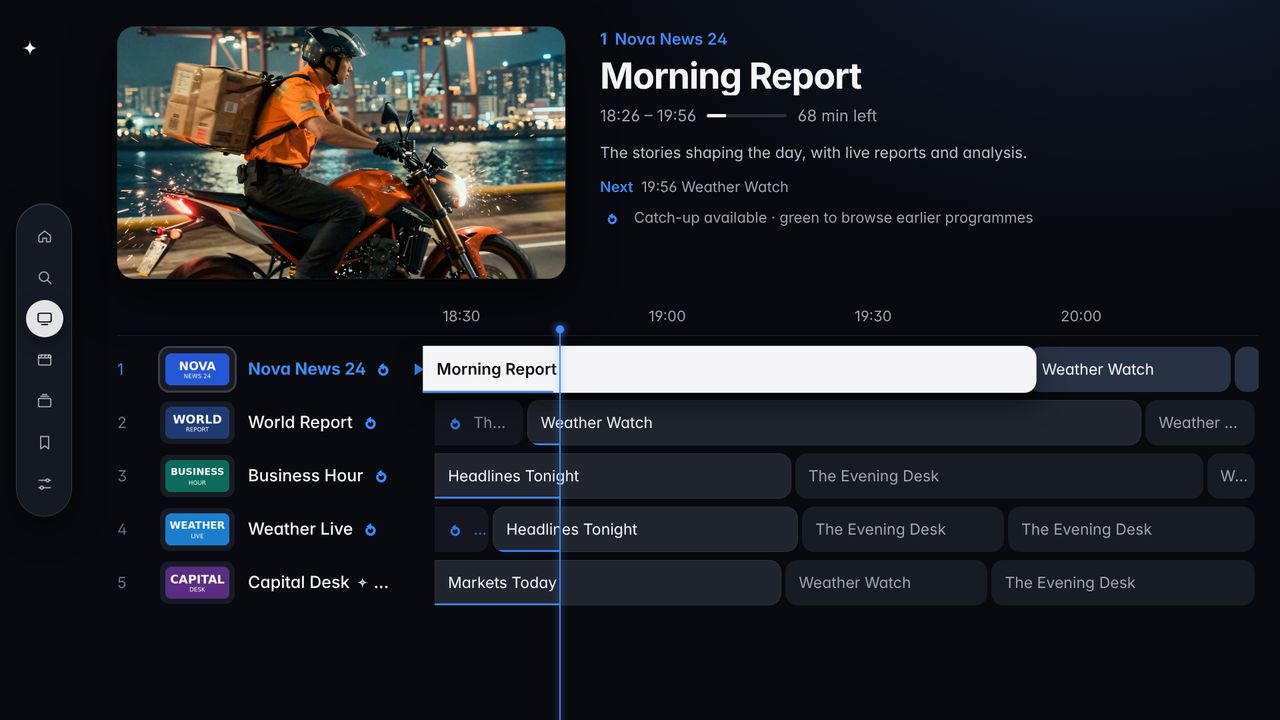
The same Nova as on your TV, on your PC: a live guide with catch-up, movies and series with posters and trailers, and a player that handles every stream format (AC-3 sound included). Keyboard, mouse or full screen.
Get it from MicrosoftWindows 10 and 11 (64-bit) · Microsoft Store · updates itselfOr download the installer (.exe) · version 1.51.111
Windows may warn you: click More info, then Run anyway.
Free 7-day trial, then a one-time activation: no subscription.
The Microsoft Store version installs and updates with no warning at all. With the installer from this page, Windows may say “Windows protected your PC” the first time: here’s what to do.
Open the NovaTV-Setup file you downloaded.
If Windows shows its blue warning, click More info, then Run anyway.
No administrator rights needed. Nova goes in the Start menu (and on the desktop if you like).
Add your playlist and enjoy the 7-day trial. Nova keeps itself up to date.
Arrows and Enter to move around, Esc to go back, Space to pause, F11 or a double-click on the picture for full screen. The mouse and its wheel work everywhere.
Windows Settings › Apps › Nova TV (or Nova Stream Player, the Microsoft Store version) › Uninstall. Your settings are kept unless you ask for them to be deleted.
Nova TV is a player. It contains no content and is not affiliated with any content service: you add your own playlist and must have the right to watch it.
 NovaTV